Figure 4 is an entity relationship diagram in MS Access. Use it to answer the question
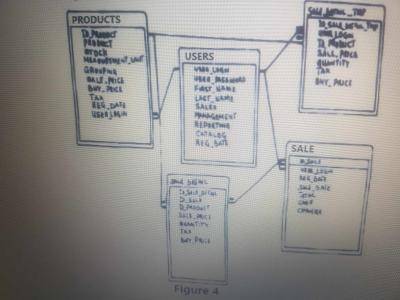
What kind of relationship exists between users and products as shown in Figure 4?
One-to-many
Many-to-many
One-to-one
Many-to-one
Correct answer is A
Looking at the arrow (relation) that connects Products table to the Users table. The infinity sign beside the products table represents the "Many" part of the relationship which is not present at the Users table (i.e it is "One" part of the relationship) . This means that a user can buy "any" number of products but a product can only be bought by "a" user. Therefore, the relationship between the "users" and "products" is one-to-many.
NB: Users are assumed to be buying products for illustration purposes.
Many-to-one relationship is if it's between the "Products" and the "Users".
Figure 4 is an entity relationship diagram in MS Access. Use it to answer the question
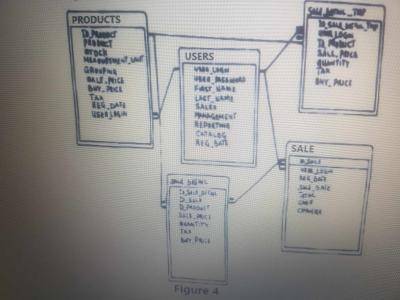
How many entity are listed in Figure 4?
30
25
3
5
Correct answer is D
In an Entity-Relationship (ER) diagram, an entity represents a distinct and identifiable concept, object, or thing about which data is being stored. Entities are typically nouns that have attributes describing their properties. They serve as the building blocks of an ER diagram and are used to model the real-world entities or concepts that are relevant to the database being designed.
For example, in a university database, entities could include "Student," "Course," "Professor," and "Department," each with their own set of attributes that describe their characteristics. Relationships between entities, indicated by lines connecting them, show how these entities are related to one another and how data flows between them.
But in the Entity-Relationship (ER) diagram given above, the entities are "Users", "Products", "Sale", "Sale detail", and "Sale detail TMP" which are five (5) in numbers
Magnet
Wrist strap
Screw driver
Surge protector
Correct answer is B
A wrist strap is needed by a technician for protection against electrostatic discharge (ESD).
ESD is a sudden discharge of electricity that can damage electronic components. It can occur when two objects with different electrical charges come into contact. When working on electronic components, it is important to prevent ESD from damaging them.
A wrist strap is a device that helps to prevent ESD by dissipating the electrical charge from the body to the ground. It is worn around the wrist and connected to a grounding point, such as a metal pipe or a ground rod.
The speed of access to files in a random access file compared to other file organization methods is
Very slow
The same
Relatively fast
Slow
Correct answer is C
The speed of access to files in a random access file compared to other file organization methods is relatively fast.
Random access files allow direct and immediate access to any part of the file without having to sequentially read through the entire file. This is particularly advantageous when you need to retrieve or modify specific records or data within the file. In contrast, other file organization methods like sequential access require reading through the file from the beginning to reach the desired location, which can be slower for large files.
So, random access files are known for their efficiency in accessing data, especially when compared to methods that involve sequential searching or scanning.
When performing computer recovery operations after a system crash, the startup disk is used to
Restore the system to an earlier time
Update the application packages
Backup deleted users file
Recover the system disk from an image file
Correct answer is D
When performing computer recovery operations after a system crash, the startup disk is used to recover the system disk from an image file.
A startup disk typically contains essential system files and tools that are required to boot the computer and initiate recovery procedures. One common approach to recovery after a system crash is to use an image of the system disk taken at a stable and functional state. This image is often referred to as a "system image" or "backup image." By using the startup disk and this image, you can restore the entire system to a previous state, which can include the operating system, applications, and data. This process helps in recovering from crashes and issues that render the system inoperable.
WAEC Subjects
Aptitude Tests